Price-Value Equation with App Store & Google Play

Price is what you pay, value is what you get!

– Warren Buffett

With over 3.5 billion smartphone users and 1.26 billion tablet users worldwide, in Q3-2020, consumers spent $29.3 billion in mobile apps across Apple’s App Store ($19 billion) and Google Play ($10.3 billion). Apple and Google take their fees before disbursing the rest to App Developers. Both Apple and Google have the exact same fee structure – 30% for one time purchases. For subscriptions, the fee is 30% for the first year and 15% for subsequent years.

This fee structure has become a bone of contention in the recent months as Epic Games dukes it out with both Apple and Google. Are these fees outrageous and unfair? Are Apple and Google monopolies that bully App Developers to extract their pound of flesh? Should their fees be lower, should it be zero?

Business arrangements are simply a matter of “price and value” (i.e. the gives and gets) – you give a price and get value in return. The price App Developers give to Apple & Google in the form of fees is quite clear. What value do they get in return for that fee? Let’s look at that:

  1. Developer Platform: Both Apple & Google have hundreds of people on their payroll (engineers, QA, product managers, designers, program managers, developer support, evangelists, etc.) building world-class iOS & Android developer platforms (XCode/AndroidStudio, APIs, SDKs, Play/AppStore, infrastructure for app beta testing, submission, management, distribution, monetization, etc.). These development platforms make it easy for App Developers to build, market and monetize their products.
  2. App Discovery, Visibility and Customer Acquisition Cost: In a centralized App Store & Google Play, consumers often organically find and discover apps. If an app is in the Top 50-100 of any category, the visibility and the organic downloads that the app gains from hundreds of millions of eyeballs is priceless – App Developers cannot buy that sort of a visibility. For App Developers, to the extent they get organic downloads for zero acquisition cost, that’s a huge value – it lowers the overall cost of customer acquisition.
  3. Payment Processing: Building products is actually fun. Processing payments, refunds, risk management, fraud handling, compliance, regulations, etc. – not much fun. For most businesses, payment processing is a necessary pain-in-the-butt. To start with, businesses pay 2.5% – 3.5% transaction fees to process credit cards. In addition, businesses incur substantial development and ongoing maintenance costs associated with payment processing, refunds, risk management, fraud handling, compliance, regulations, etc. In the apps business, App Store & Google Play take care of those nasty issues and App Developers get one direct deposit into their bank account at the end of every month – simple. This allows App Developers stay focused on their core job – building and marketing products.
  4. Piracy Protection: Revenue losses due to software piracy is real ($46.3 billion in 2018). For every dollar a Software ISV rakes in, they lose cents/dimes to piracy. With App Store & Google Play, there are mechanisms in place to prevent piracy. As a result, consumers get vetted malware-free apps while App Developers don’t lose money to piracy.
  5. Enabling Free/Freemium: App Developers launch free/freemium apps (e.g. Facebook, Tiktok, OpenTable) that either don’t monetize or monetize via external mechanisms (e.g. advertisements). Both App Store & Google Play support this model with their distribution infrastructure and that costs real money.
  6. Tax Compliance: When you sell anything (not just apps), depending on where you are and where you sell, the revenues are subject to all sorts of local/state/country taxes – a hot mess that makes the head spin (see this and this). There are companies (e.g. Avalara, Digital River) whose bread-and-butter is handling this sort of tax compliance and their fees are not cheap. When App Developers sell their apps on App Store and Google Play, Apple and Google take care of all tax collection, remittance and compliance issues. Yes, this is an arcane issue but it’s real. True story – I used to work for a large multinational company that had a billion dollar revenue base. When it came to tax compliance, we decided to sell our mobile products only in those countries where Apple and Google took care of tax compliance and turn off the other countries where the tax handling onus was on us. Despite having our own finance department, our analysis showed that it wasn’t viable for us to handle the tax compliance!

So, what’s the cumulative worth of all these values? How does value compare to the price – i.e. fees paid to Apple and Google? As they say, “beauty is in the eye of the beholder” and this is my experience…

Apple launched iPhone SDK on 6-March-2008 with a customary keynote event. After I saw the keynote that day, I was so inspired and energized with the App Store platform, I literally ran to Valley Fair Apple Store that same night and bought my first MacBook Air. That very night, as I was messing around with Xcode and iPhone SDK, I launched my app startup SpiceLoop. Between March-2008 and April-2012, I launched 4 apps across App Store & Google Play and drove a few million downloads. During those 4 years, I paid hundreds of thousands of dollars to Apple & Google – their 30% fees. Would I have been happier with a lower fee structure? Hell, yeah! Did I resent Apple & Google for the fees I paid? Hell, NO. I was convinced that the value I was getting out of the App Store ecosystem was beyond fantastic. Apple (& Google later) made it so easy for me to build, launch, market & monetize my apps, I had no hesitation in launching an app startup the night the iPhone SDK was launched and I had no qualms sharing the 30% fees. As an entrepreneur building apps for iOS & Android, I felt that my price and value equation was fair and equitable!

For 4 years I walked many a mile in App Developer shoes. Should Apple/Google drop their fees to zero – hell, NO. Both Apple and Google took huge risks and spent massive amounts of money to build and nurture their platforms over the years. What they built provides livelihood and tremendous value to App Developers and for that they deserve to be compensated. Apple and Google have every right to enforce their monetization policies and protect their revenues.

It’s important to have some historical perspective. Prior to 2008, to do anything in the mobile space, Developers had to bend over backwards and pledge their firstborn to the likes of Nokia, Blackberry and telecom carriers. In March-2008 Apple came along and opened up the playing field to all Developers. When Apple set their 30% fee structure in March-2008, it was nowhere as powerful/successful as it is today. Later Google Play followed suit with the same fee structure and App Developers happily flocked to App Store and Google Play. That 30% fee has stayed same since day one. Today when Apple & Google are accused of highway robbery, monopolistic practices and putting a stranglehold on innovation, I scratch my shiny dome in wonder (and exasperation)!

Should the fees be lower than 30%? Like I said, beauty is in the eye of the beholder! App Developers need to examine their price and value equation and make their own judgement!

Apple Card – A Curious Case of Flywheels, Ecosystems, Moats & First Principle Thinking


Credit cards are like sins, enjoy now & pay later!

– Anonymous


Apple Card Fly Wheel


Flatbush National Bank of Brooklyn was the first bank to issue a credit card in 1946. By the end of 2017, just within US, there were 364 million open credit card accounts with Chase, Capital One and Bank of America as the 3 biggest credit card issuers. An average American today has 2.9 to 3.7 cards. Saying that this space is “hyper-crowded” would be an understatement.

In this mature hyper-crowded landscape, Apple launched their Apple Card earlier this week. In this blog post, I’ll try to analyze the elements underlying the Apple Card product strategy while delegating the other aspects (financial features, benefits, comparison with other cards, etc.) to the trade rags.

Let’s start with the onboarding experience which I believe is a core part of the Apple Card product strategy.


Onboarding Funnel & Friction: Every product team tries (to a varying degree) to manage their onboarding & adoption experience, but very few v1.0 products deliver a perfectly polished onboarding experience. Apple Card v1.0 managed to deliver that, any traces of onboarding friction has been nuked with a vengeance.

Earlier this week I got an invite email to apply for the Apple Card. Clicking the invite (in iOS Mail) took me into the iPhone Wallet app to start the credit card application process. Since Apple already knew my name, phone, email, address, etc. everything in the form was prefilled. The only 2 pieces of information I had to enter was my annual income and last 4 digits of social – that’s it. The Wallet app did beep-boop for 3 seconds and confirmed that Goldman Sachs approved my application for $20k. This entire journey of “credit card application → Goldman Sachs approval → accept card -> card added to Wallet → make it default for all Apple payments → enable for Apple Pay →  ship a physical card? → card ready for use” took less than 90 seconds – yes, less than 90 seconds. Apple made it sure that if you had an iota of curiosity/intent to get the Apple Card and clicked a button or two, you will end up with the Card – it was that frictionless!

In contrast, Wells Fargo bank that has known me for 20+ years, wants to know my mother’s maiden name, housing status, monthly mortgage payment, employment status, occupation, current employment length and half a dozen other data points before it takes me to the next step… fuhgeddaboudit!


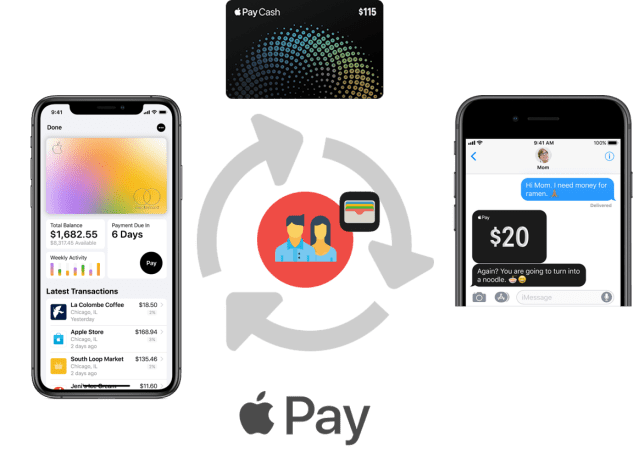
Card Experience: A lot has been written and ooh-aaah’ed about the Apple Card user experience, benefits, comparison with other cards, etc. (see this, this and this). I won’t repeat the details, but I’ll mention top 10 highlights for the sake of context and completeness. Like all things Apple, the Apple Card experience in the Wallet app is well polished where you can see: [1] how much you spent, where, in what categories [2] card color is a heat map that reflects your spending pattern [3] merchant details, location, etc. [4] weekly/month spending trends [5] cash back amount that you accrued [6] setup end of the month payments [7] your credit limit, available credit, APR [8] push notifications when your physical card is about to be delivered [9] 1-click activation of the physical card [10] reach Apple Card support via text messages (that’s really cool).

The end to end Apple Card experience is tailor made for the impatient gen Z iOS kids who grew up suckling on the iPhone teat. As they come of age ready for credit cards, at least in US, I’m betting that they will gravitate towards Apple Card’s mobile-first experience rather than a Chase or Wells Fargo card.


Ecosystems, Moats & Switching Costs: When you are a large company with many products, you try to gain “unfair advantages” by doing proprietary integrations into your own ecosystem. Microsoft products tend to be integrated into Windows & Office franchise. Google products are integrated into their own portfolio – gmail, maps, Android, calendar, hangouts, etc. Predictably so, Apple weaved the Apple Card experience with their Wallet, Apple Pay, etc. In addition, they did a couple of things very subtly that I thought were really interesting.

  • Apple Card comes with 2% cashback when you use it via Apple Pay. However, this cashback declines to 1% if you use the physical card. Apple really wants you to use Apple Pay and not that plastic card. In 5 years since its launch, Apple Pay is accepted at 65% of all retail locations and 74 of the top 100 merchants in US. With the combination of Apple Card + Apple Pay, they want to continue moving the needle from 65% towards 100%. Besides, using the Apple Pay via iPhone is supposedly more secure than using the plastic card – an aspect I’m not familiar with.
  • In all these years, Apple had my credit card details to charge my AppStore purchases. Now, to pay the Apple Card balance at the end of the month, I had to give them my bank checking account details – something they never had access to. I am willing to bet that Apple will use my bank account details in a meaningful manner down the road.
  • The 1%/2% daily cashback from your Apple Card spending goes into your Apple Cash debit card (issued by Discover) and NOT into your Apple Credit Card. In all these years, like most users, I never bothered using Apple Cash Card. With this move, Apple is herding its users to use Apple Cash Card in additional to the Apple Credit Card. Now that I have $8 in my Apple Cash debit card, Apple hopes that I’ll use it for Starbucks cappuccinos or for peer-to-peer cash payments (paying your co-worker for lunch) via iMessage rather than PayPal/Venmo. The execs at PayPal/Venmo just got served!


With all this, Apple is not only strengthening its ecosystem, but also adding another layer of moat around its active user base of 1.4 billion Apple devices (that include 900 million iPhones). The fruit company wants to make sure that the Pirates of Android can’t easily pillage its iPhone user base.


Financial Flywheel: Till about a month ago, Apple’s financial flywheel was “Wallet + 3P Apple Pay”. 3P Apple Pay here refers to the Apple Pay experience with credit cards issued by 3rd party banks such as Wells Fargo, Chase, BoFA, etc. These banks issue hundreds of millions of credit cards to consumers using their existing systems & processes – i.e. the business as usual incumbent model. With these old guard banks, Apple had limited control & innovation ability on the credit card experiences with iPhones/iPads. Now with a willing partner like Goldman Sachs, Apple can rethink & innovate the end-to-end credit card experience with iPhones/iPads – i.e. 1P Apple Card & 1P Apple Pay. Now, Apple’s financial flywheel is “Wallet + 3P Apple Pay + 1P Apple Card + 1P Apple Pay + Apple Cash Card + iMessages + your Checking Account”. Reeling in Apple Cash debit card into its payments flywheel is brilliant!


Overall, what was Apple’s approach & strategy with Apple Card?

It’s First Principle Thinking!

When launching a new product in an existing hyper-crowded segment, it’s very easy to fall into the trap of emulating others. Apple successfully avoided that trap with their First Principle Thinking:

  • What are customers’ pain points with credit cards?
  • How can I solve them better than others for my (iOS) customers?
  • What’s my differentiation from competition?
  • What’s my “unfair advantage”?
  • How do I ensure easy adoption & usage?
  • How do I weave it into my ecosystem and flywheel?
  • Who are my partner/dependencies? How do I choose them to serve my strategy?


The Apple Card experience is a reflection of that First Principle thinking. To execute on those vectors, with Goldman Sachs as the card issuer, Apple found a partner with the necessary financial gravitas who Apple could bend to their will and not be bogged down by incumbent thinking (i.e. this is how we have always done it). In fact, Apple’s official tag line “A new kind of credit card. Created by Apple, not a bank” reflects their First Principle approach to delivering a meaningful Apple Card experience!


Pareto Principle for Product Success


80-20


In late 1800’s an Italian economist named Vilfredo Pareto observed that 80% of Italy’s land was owned by about 20% of its population – the elite of the day. This concentration characterized by 80/20 distribution has now become the famous Pareto Principle (aka the 80/20 thumb rule). This 80/20 rule manifests itself in many areas of our day to day life. Some examples – for many non-fiction books, 80% of the main content is captured within the 20% of the pages, the rest is repetitive. For many companies, 80% of their sales income comes from 20% of their clients. In industrial environments, 20% of the hazards lead to 80% of the injuries.

Interestingly, this 80/20 rule can be used effectively to drive the strategy, execution & decision making when managing technology products & teams.


Product Market Fit: Most startups (& even established companies with emerging products) struggle for a while before they find their “market-fit” – i.e. they try pitching their product/service/technology in a variety of industries, verticals, use cases, price points, geographies etc. The lucky ones find the market-fit before the funding dries up and the no-so-lucky ones go belly up without ever discovering the market-fit.

It’s important to have a Go-To-Market strategy & target segmentation based on the attributes of your product/service. At the same time, during the discovery phase, it’s important to experiment & pitch your product for a variety of use cases – some of which should be outside your original target segment. If you are lucky, for every 10 attempts you make, you may find some semblance of market-fit in 1 or 2 cases (i.e. the 20% rule). VMware is well known for its virtualization technology. However, in the early days of VMware, they had to struggle for a long time to find the market-fit until their product landed in the hands of system administrators who were responsible for managing servers – the rest is history. To hear more about VMware’s early struggles, hear this interesting podcast interview with Diane Green (co-founder & former CEO of VMware)…


Product Usage: A typical technology product (software or hardware) contains many bells & whistles. My experience is (some anecdotal and some data-driven), most users (80%?) use a very small set (20%?) of the available features/capabilities on a daily basis. This provides a fantastic opportunity for product teams to derive amplified gains with minimal effort – identify the most used 20% feature-set and polish them to perfection leading to remarkable results! If your 20% feature set offers the best user experience possible, your users will love your product and think thrice before considering alternatives!


KPI’s: Product teams typically use metrics/OKRs/KPIs to measure & drive outcomes. These KPIs can take various forms like users, usage, transactions, customer satisfaction, NPS, repeat usage, DAU, MAU, geographical distribution, platform distribution, customer distribution, industry distribution etc. Depending on who you speak to within the company, the metrics list can be endless and it’s not practical to monitor and review all the metrics. A more practical approach to success would be to identify the top few metrics (the 20%) and drive those with a maniacal focus! Having fewer KPIs to monitor makes it easier for product teams to focus on those KPIs and drive the catalysts that grow those KPIs.


Key People in a Team: A typical product team (or a sub-team) consists of 6-8 people. If you are lucky, there is 1 person (i.e. 20%) who is a head-and-shoulder above the others on the team. If you are super-fantabulously lucky, you land a 10x person on your team. These are the people who can solve the prickliest of the problems or come up with ingenious ideas that take your product from mediocrity to superiority. Identify such key people and make sure that they are taken care of in every respect (i.e. compensation, assigning them non-mundane projects, protection from politics, etc.).


Innovation: Venture Capital companies are in the business of investing in innovative startups with the hope that they go IPO or get acquired. The reality is, for every 10 companies the VC’s invest in, about 2 of them find some success while the rest flop. Google is known as one of the most innovative companies with a string of “successful” products such as Search, Maps, Gmail, Chrome, Android, YouTube, Android etc. The reality is, 84% of Google’s revenue comes from its advertising initiative – the 80/20 rule at play again! Even successful companies like Google have to chase a variety of innovations before they can find a “hit”. What this means for corporates is, to drive innovation, you must have the willingness to stomach 8 or 9 losses before they can hit 1 or 2 successful products. Without this willingness to invest in losses, innovation cannot happen!


Use the 80/20 to find yourself 100% success!

2 Sided Drums & 2 Sided Product Innovation Model


Mridangam2


In South Indian Classical music (i.e. Carnatic style), Mridangam is the primary percussion instrument used to keep the rhythm. It’s a 2 sided asymmetrical drum made of a single block of hollowed jackfruit wood with the sides covered with goatskin membranes. One side of the drum has a larger opening that produces lower pitch bass sounds while the narrower side opening produces higher pitch treble sounds.

A masterful Mridangam player uses a combination of fingers & palm to play the notes – on one side or the other. But, when both ends are played, you hear a beautifully balanced rhythm of bass and treble sounds.

What’s playing a 2 sided Mridangam got anything to do with 2 sided Product Innovation Model?

A lot.

Typically product teams use feedback from different sources (customers, user research, sales & marketing, analysts, customer care, competition, etc.) to drive their innovation and roadmap. To me, that’s playing one side of the drum – delivering what’s being asked.

What about the unspoken customer needs (that can be addressed by applying a technology) – the other side of the drum? Are there any unspoken customer needs that can be fulfilled by bringing to bear technology enablers? Can the user experience be improved & refined above and beyond what users ask for?


Here are a few examples of such technology enablers:


  • Twilio: What if you had a SaaS platform that provides you an easy way of sending & receiving SMS/calls as a part of your product user experience? From within your product, can users quickly text themselves names, phone numbers, urls, pictures, etc.?


  • Zapier: What if you had a service that lets you stitch and automate workflows  between your product and commonly used services like gmail, google sheets, slack, twitter, facebook, etc.? Does the free flow of information across your product & other services make it easy for your users to consume your product functionality?


  • UserVoice: Every product team has one or more channels (email, web forms, etc.) to collect user feedback. What if the feedback volume is large? What if you had a structured feedback platform where your users can add ideas, vote on existing ideas etc. Check out Microsoft’s skypefeedback.com that uses UserVoice platform to manage its feedback loop for the Skype product. Can such a platform enable you to better manage your feedback loop and roadmap prioritization?


These are a few examples where the innovation conversation begins with a technology (and not a customer need) and teams figure out a way to meaningfully use that technology to solve a problem or improve a product experience – i.e. playing the drum from the other end.

So, how do you drive technology driven innovation to complement the customer need driven innovation? Here are a few ideas that worked for me:


  • Imitate & Improve: When you use different products, services, apps & websites as you go about your life, pay close attention to details. You will see examples of how different technologies are used to enable & improve user experiences. You could think about how to do the same in your products. Heck, I even get ideas from spam emails that land in my inbox! This is a very common innovation model in the tech industry – giants like Apple, Microsoft, Google, Facebook, Samsung, Uber, Lyft, Snapchat etc. often borrow ideas from each other.


  • Trade Shows: These are good places to learn about new & interesting technologies that can spark ideas on how you could use them.


  • Platform/SDK Capabilities: This is arguably the nerdiest model for driving innovation. Most products are developed using an underlying OS/platform/SDK. These platforms come with SDK documentation outlining the capabilities. Developers are usually the ones that read such documentation when coding – and that can spark a few ideas. Recently my Android product team stumbled upon the Places API for Android. They came up with an idea of using this Places API to make it easy for the user to quickly search for a place and use its address to automatically fill the address fields in a form. This improved the user experience of filling a form in a certain part of our product flow! This is a classic example of technology driven innovation rather than a customer need driven innovation.


Summary: The end goal of every product team is to address customer needs, improve product experiences and drive KPI. To do that, driving product roadmaps using technology driven innovation to complement customer need driven innovation can lead to well-rounded product experiences!


Building Products & Saying NO


Learn to say NO to the good and the advantageous, in order to receive the best!

― Sunday Adelaja

SayNo

If your Product Management team is responsible for building products, features/ideas get thrown at you – by your product team members, sales/marketing/support groups, competitive analysts, customers, partners, executives, etc. On one hand, you have the responsibility to ship a well-rounded and a well-balanced product that serves the needs of your customers. On the other hand, you have the wish list fire-hose pointed at you.

Arguably the toughest decision a Product Management team makes is – what features to include and what features to exclude. What do you build now and what do you postpone? If the goal is to offer a well-rounded product experience to your customers, I would argue that what you say NO to is more important than what you say YES to.

Rather than making ad-hoc YES/NO or NOW/LATER decisions, here is an objective framework that mitigates the subjectivity in this decision-making process using 6 vectors of evaluation:

1. Revenue/business Driver (or not): I don’t think this needs much explanation.

2. Utility Value & Breadth of Impact: This one is fairly straightforward. For the feature in question, ask yourself (from a customer perspective) 2 questions – (1) how useful is this feature (2) what % of my user-base will find this genuinely useful. Where possible use data to support your decisions – e.g. you could analyze your Google Analytics stats to understand how often a similar feature is being used in your existing product. These questions will help you weed out “pet projects” or cool sounding features that have little or no utility in real world.

3. Table Stakes: In late 90’s, much before Bluetooth and USB became popular, some computers offered IR (infrared) ports so that devices like PDAs could wirelessly connect to computers. In reality, these IR ports were rarely ever used. However, because an IR port was a common requirement in the corporate purchase checklist, most laptop manufacturers would include the IR port in their corporate class laptops even though they were rarely ever used – i.e. the IR port became table-stakes in the corporate laptop market.

Another contemporary example is the phablet product.When Samsung launched their Note phablet in 2011, it became a runaway success. Apple on the other hand, stayed away from phablets given Steve Jobs’ disdain for the large devices. Samsung Note was capturing so much market share (especially in Asia), after 3 years of resisting, Apple capitulated and launched their iPhone 6 Plus phablet in 2014 – they needed a phablet in the product lineup to stay competitive.

In your market, is the feature under consideration table-stakes based on customer requirements or competitive positioning? If so, you may no choice but to offer that feature sooner or later.

4. Basic VS Advanced: A few months ago I upgraded my audio receiver to a Sony DN1050 – I needed a receiver with AirPlay support. The DN1050 is a pretty sophisticated receiver that supports AirPlay, NFC, multiple zones, 4K scaling, Bluetooth, Wifi, DLNA, Pandora, Spotify, etc. BUT… it only supports 2.4Ghz wifi – no cigar with 5Ghz wifi support. Arrrgh. Why would a world class company like Sony build a sophisticated $600 consumer electronics product that relies on wifi and yet exclude 5Ghz support. My $50 Echo Dot supports 5Ghz!

This is a classic example of a somewhat disjointed product that supports sophisticated features and yet misses the basics (5Ghz wifi channel support) – that’s a head scratcher.

When building products, it’s important to cover the basics before you start considering advanced/complex features. This is a fairly simple principle and yet it eludes so many products!

5. ROI (effort vs benefit): Every so often you come across a feature that sounds useful – but expensive to build (in terms of time & resources). If that feature is applicable broadly, benefits a wide swath of your user-base, or gives your product a strategic edge, it may warrant making that investment. Otherwise punt it for later!

6. Strategic Importance: When Apple launched Siri in 2011, it was labeled as a beta. As far as I know that was the first time Apple released a feature labeled as beta (while embedded within a mainstream product) to general public. Apple knew that Siri was not fully ready for prime-time and yet they released it early on because of its strategic importance. By releasing it early and collecting anonymized voice samples, Apple was able to iterate and improve Siri over time. Now Siri is an integral part of their iOS, macOS, watchOS and tvOS.

Summary: For every feature/capability on the product roadmap, it’s important for Product Management teams to consciously deliberate on the YES/NO decision based on objective criteria that suit your needs (market requirements, competitive situation, strategic importance, product maturity stage, etc.). Without this deliberation, if every idea gets a YES rubber-stamp, products runs the risk of becoming a disjointed mishmash that could earn your customers wrath!

Power Users maketh Good Product Managers

Power User

Every so often I meet an intern, an engineer, a marketing guy or somebody that asks “How do I become a PM (product manager)? What makes a good PM that builds great products?”

Usually my return question is “For which products do you consider yourself a power user?” I get this quizzical look – what’s being a power user got anything to do with being a product manager?

Turns out, a lot!

If you are in the tech industry, depending on your role, you use products like Outlook, Word, Excel, PowerPoint, Jira, Adobe Illustrator, iOS/Android/Windows/Mac etc. for a few hours everyday. If you spend a few hours everyday on these products, did you take the time to get a deeper understanding of how these products work & use them better? Some examples:


Microsoft Windows:

With a 90% market share, chances are that you have used Microsoft Windows for dog years.

  • Ever use the Windows registry to customize the OS or any application to suit your needs when such a customization is not available via the usual “Options” route? See some examples here…
  • Ever used Windows “Event Viewer” to diagnose any problems?
  • Ever customized Windows “Power Options” to suit your own needs?


Outlook:

  • If you send regular emails to a set of people, did you ever create a “Contact Group” – a personal distribution list (not the corporate distribution list) of those people and use that for your emails?
  • Ever install and configure an Outlook plugin other than what’s already installed by default on your computer?
  • Ever setup your work email and personal email in the same Outlook instance so you can conveniently switch between work and personal email?


WhatsApp:

  • Did you ever go into “Settings > Data & Storage Usage > Storage Usage” and see which groups are consuming too much storage? Deleted videos that take too much storage?
  • Ever posted messages with bold/italics formatting? Here is how you do it…
  • Ever used WhatsApp on a desktop browser rather than using it on a phone? Here is how you do it…


PowerPoint:

  • Did you ever customize the master slide design & layout to suit your needs and save it as your own theme to use it on an ongoing basis? Do you understand how customizing the slide master affects other layouts in your deck?
  • How good are you at using the advanced animation effects in PowerPoint – e.g. the motion paths animation?
  • Do you customize the deck for 16:9 or 16:10 aspect ratio of your monitor/projector?


Hopefully you get the drift of where I am going!

If you are a power user of any product, you will observe & learn 2 things:

  1. Product design patterns
  2. Attention to detail

Product Design Patterns: Successful products usually offer a breadth and depth of capabilities that are well layered. Take Microsoft Office for instance. A novice can easily get started on Office products. As the user’s needs grow, Office can keep up with its breadth and depth of features without being too overwhelming. As a power user, if you can leverage a product’s breadth and depth of capabilities to your advantage, you have a better shot at being a good PM that builds sophisticated products by applying similar design patterns to your products.

Attention to Detail: Great products offer a refined user experience driven by attention to detail. If you appreciate the attention to detail in great products, there is a good chance that you will build products that have similar attention to detail. More on that topic here…


Incidentally, I find it a great interview question when screening PMs – “Which products do you consider yourself a power user for?”. If the candidate is a power user of a few products, this person has a good shot at building better products!

Email is Dead! Really?


Email is the Jason Bourne of online – somebody’s always trying to kill it. It can’t be done!

-Anonymous


Email Tombstone


Not a week goes by without somebody at work throwing up hands that “email is useless”. Same thing with tech rags/sites/blogs proclaiming that email is dead. An occasional news story about a company that has completely banned email only adds to the hyperbole!

Every time I hear that, I’m thinking “BS!! Have you tried working without email for a week?

Don’t get me wrong. I love using IM, Lync, Hipchat, Webex, BlueJeans, Skype, Slack, Sharepoint, Wiki,  Confluence, DropBox  & any other tool-du-jour! Heck, I love meeting people face to face and even phone calls. But, I haven’t yet seen anything that’s as effective & well-rounded as email.

Don’t believe me?

Asynchronous: I can send emails during work hours or after dinner when the family has dozed off. Try doing that with other communication channels!

Thoughtful Communication: Without email ever tried to communicate a detailed strategy or proposal that requires long explanation, backup documents & spreadsheets?

External Communication: Tried working with people outside your group/function without using email? How about working with people outside your company (e.g. partners & customers)?

Cross Geography & Time Zones: Without using email try working with people in Stockholm or Bangalore while you are sitting here in California!

Meetings/Calendaring: Try setting up an hour long meeting with a handful of people without using email/calendaring!

Universal: Whether its work, family, friends, kids’ school or Amazon/Netflix/eTrade sending you notifications, email is a universal platform for communication.

Traveling: Some of my best productive moments happen when I am fly cross continent over to Europe or Asia. Without internet or interruptions, it’s a great time to catch-up on email, read analyst reports, absorb strategy decks, etc. By the time I land at the destination, I’m a whole lot wiser. Try doing all that without using an email product (e.g. Outlook) that syncs emails onto your laptop for offline use.

I rest my case!


Bottom-line: Can you reduce email? Are there better channels of communication than email for certain situations? Can the email experience be improved? Yes, yes & yes. Can you eliminate email in corporate? I won’t bet on that – I haven’t yet seen a realistic alternative that’s anywhere close to email!


It’s no wonder that email is the killer app of this century!!


Switching to Android – @#%*&$ and WOW!

You must do the thing you think you cannot do.

-Eleanor Roosevelt


Switch to Android


Having been a power user of iPhone since 29th June 2007 (the iPhone launch day), never did I consider moving to any other platform – until recently.

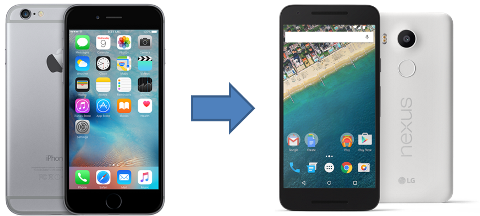
A month ago on April 1st, I decided to prank myself – I switched to Android cold turkey on that Friday evening without ANY preparation whatsoever. I stayed on Android full-time for a full month (I vowed to not cheat) and here are my trials and tribulations with a pure Android 6.0 Marshmallow experience on a Google Nexus 5X.


First 2 Days

I HATED everything about Android – icons, colors, typography, navigation model, OS experience, 3rd party apps, hardware – EVERYTHING. It’s like shifting the furniture in a blind man’s apartment by a few inches – there was a  @%*&$# moment every so often with an urge to throw the phone at the wall! This was in spite of being very familiar with Android for a few years now!

Once I got over the initial frustration and setup everything , the experience was a lot smoother – in fact much better than I dreaded it to be!


Hardware Experience

With an iPhone, Apple is a vertically integrated manufacturer that tightly controls the end to end user experience. Whether it’s the simple rewind/pause/forward button on the earpod headset or the custom chip that drives the camera, 3D Touch, retina display, etc., Apple owns everything that is strategic to the end user experience – and hence the superior experience. But, your hardware choices are limited to the design musings of Jony Ive and his crew at Cupertino.

Android on the other hand offers a plethora of hardware choices. Depending on your needs (e.g. screen size, camera, pure Android versus OEM experience, finger print sensor, cost, etc.), you have a much wider variety of devices at differing price points (starting at $30). In the long term, this variety at different price points is a strategic win for Google/Android (evident from the market-share statistics) – especially in the non-premium market segments.


Native OS/Software Experience:

This is where iOS really shines over Android. Whether it’s the visual voicemail that requires carrier integration, email/calendar/contacts/tasks integration with your corporate Microsoft Exchange server or the Apple ecosystem integration via Continuity, the iOS experience is a couple of notches better than Android. Its mostly a result of Apple’s willingness to invest in attention to detail – more on that topic here.

To give credit where its due, Android has improved a LOT in the last couple of years. Google Now on Cards is sublime – it magically surfaces the information I need at the appropriate moment. Some may call it intrusive, I find it brilliant! After installing the Google Voice app, my international calls to India were automatically routed via the super-cheap Google Voice service rather than ATT. Awesome!


AppStore / Google Play Apps

On my iPhone, like most others, I had a ton of third party apps from the AppStore. When I switched to Android, at the end of the month, I had a mere 18 third party apps – ranging from the the usual Whatsapp/Facebook/Amazon to the more esoteric ATT Visual Voicemail. 18 apps is all I needed – I suspect that most people need less than 20 apps!

If your usage is mostly limited to popular top tier apps (e.g. Facebook, Whatsapp, Amazon, eBay, DropBox, Pandora, etc.), these apps tend to offer solid comparable experiences on both platforms. Once you get to less popular tier 2 or tier 3 apps, iOS versions of the app usually tend to be a little better designed & executed than their Android counterparts for 2 reasons:

  1. iOS apps generate more revenue and hence the developers have an incentive to invest a little bit more on their iOS app.
  2. Because of the OS/hardware fragmentation on Android, maintaining a high quality product on Android is a lot more challenging and needs more effort.


Summary

Switching to Android was a seesaw of @#%*&$ and WOW moments!

If you had asked me a month ago before this switch, without batting an eyelid, I would have said that iOS wins. Now that I walked a few miles in the Android shoes, I think the answer is a little more nuanced. Android has definitely caught up with iOS in the last couple of years. Today I believe that iPhone holds a definite lead in most areas  of the user experience (e.g. better hardware, tighter hardware/software integration, OS upgrade availability, fit-n-finish, customer support, etc.) while Android leads iPhone in a few areas (e.g. hardware choices & price points, Google Now, etc.).


As for me, I am back to paying the Apple tax!


Miscellaneous Notes:

  • The fingerprint sensor on Nexus 5X is waaaaaay faster than TouchID on iPhone 6. Wow!
  • I tried hard but could not get Visual Voicemail working on the Nexus 5X (a pure Android 6.0 experience). Had to download & use the ATT visual voicemail app.
  • The voice recognition & accuracy with Google Now is much better than Siri – even with my Indian accent.
  • As I go back to iPhone, I’ll sorely miss the hardware back button on Android. Although, Samsung’s choice of putting the back button on the right side is an abomination.
  • Steve Jobs would have described Google Now Cards as “magical”!


Apple TV – 4th Time’s the Charm for Industry Disruption?

If it weren’t for Philo Farnsworth, inventor of television, we’d still be eating frozen radio dinners.

 – Johnny Carson


Apple TV Small


Apple debuted the Apple TV product over eight years ago in Jan 2007. Over the years, Apple introduced 3 generations of the Apple TV to lukewarm response. Perhaps this lack of success is what prompted Steve Jobs to position the Apple TV as a “hobby”. The go-to market challenges associated with regionalized cable operators, hard negotiating oligopolistic studios, mish-mash of government regulations, consumers’ unwillingness to pay for a set top box, etc. certainly did not aid innovation in this industry.

For 8+ years Apple kept honing the Apple TV “hobby” and released their 4th gen New Apple TV a couple of weeks ago. In the latest iteration of the Apple TV with its new-fangled tvOS, Apple finally did a copy-paste of the AppStore ecosystem from iOS onto the TV. That opens the innovation flood gates of 3rd party developers to let a “million flowers bloom” for the TV experience. My fingers raced to click the Buy button on the first pre-order day!

I am not going to bore you with yet another review of the product – you can find that on NY Times, CNET & Engadget. Instead, here is my take on Apple TV’s potential (and Android TV, see PS below) to change & disrupt a few industries:


Casual Gaming: For the first week of the launch, Apple prominently featured the Asphalt 8 game on its TV AppStore. When my 11 year old son saw the Asphalt 8 icon on the TV, his eyes lit up and his jaw hit the proverbial floor. For the next hour, I could not pry the Apple TV remote from his hands while he raced his tricked out & nitro’ed McLaren P1 GTR through the streets of the London while the home theater speakers pumped out the visceral chest thumping roar of the McLaren. Quite a sensory experience that you don’t get on iPhones and iPads! Apple deliberately invested quite a bit on their graphics and game development frameworks/SDKs to make this possible.

While these $2.99 tvOS games may not be a threat to billion dollar franchises like Halo, the landscape of the casual gaming industry (think sub $20) will definitely change. In the coming years, the publishers of lightweight games on the game consoles will have a hard time convincing their customers to pony up $10-$20 for a game console title while similar games can be had on a multi-purpose Apple TV for $1.99 – $4.99. Over time, I expect these game publishers to migrate to the Apple TV gaming platform (& Android TV, see PS at the bottom).


Online Learning: After dinner, when the family has gone off to sleep, I have some difficult choices to make – read, watch Netflix from the comfort of a sofa or do something productive & cerebral with the laptop. It’s hard resisting the siren song of the sofa & remote!

With apps like TED & Coursera on the New Apple TV, it’s easier to engage in something more cerebral while comfortably ensconced in the sofa. Suddenly the Machine Learning course in Coursera doesn’t seem as daunting as it does on the computer. Given this ease of learning from the sofa & the TV, I expect more consumer traction for the online learning industry on the TV.


Cable TV Industry: This is going to take a few years to play out. Barring the exception of Tivo and DVRs, the cable TV experience has been more or less static for the last few decades. An average American household pays $86/month for cable TV – for which you get a few hundred channels most of which you never watch. With the availability of HBO, ABC, National Geographic, Disney etc. in an ala-carte model on the Apple TV, cord-cutting is now easier than ever before. However, before TV consumption over IP becomes mainstream, a lot of work needs to be done by Apple to improve the user experience. The current model of app switching on the TV is nowhere as convenient as channel surfing with your set top box!

This decoupling of content providers & cable operators probably bodes well for the content providers as well. Once they have their channel as an app on the Apple TV (or Android TV), their market availability is worldwide – they probably don’t need to worry about negotiating with dozens of cable operators worldwide!


What other Disruptions?: Unlike mobile phones, tablets and laptops that offer a personalized compute experience for you, an app-enabled smart TV offers a new model – a shared (for you & everybody around you) compute experience from the comfort of a sofa. Try the gorgeous AirBnB app on a TV and you will know what I mean. The voice search via Siri is also pretty nifty – I’m looking forward to Apple opening up Siri to third party developers. What new opportunities (or disruptions) that creates, only time will tell. I for one, am quite looking forward to that!


PS: The New Apple TV & Google’s Android TV are very similar positioned and compete neck to neck. Given that, the above commentary applies equally well to the Android TV. In fact, the combined forces of these 2 behemoths probably double the chances of industry disruption!

Driving Big Impact with Little Details

Little things make big things happen!

– John Wooden

Attention to Detail

Ever wondered what sets apart a 3-star Hilton from a 4-star Hyatt? A 4-star Hyatt from a 5-star Ritz Carlton? End of the day, they are all hotels with similar amenities – beds, bathroom, linen, TV, writing desk, swimming pool, front desk etc. So what gives?

Attention to Little Details!

Among other things, the biggest differences within different levels of hotels are the little details that translate to a more refined customer experience. As you go up the star chain, the attention to detail gets better – the guy behind the desk is better dressed and more helpful, the bed sheet thread count goes up, pillow menu – multiple pillows of varying softness, the room décor & accoutrements are more refined, swimming pool is better maintained, nicer landscaping, parking lots are better paved & lighted, etc.

However, when it comes to the technology world, for a variety of reasons, there is a lot of focus on ROI driven “big bang” features and functionality while refinements and attention to smaller details often take a back seat.

When using products (and driving my teams that build technology products), I tend to pay a lot of attention to little details. Here are a few that I love:

  • Palm Treo (RIP): The Palm platform had its own share of rabid followers until iOS/Android ate its lunch (and dinner). On the Palm Treo when you received a call, there was a little button on the lock screen that let you send a text message “Call you back in 10 mins” with one click of the button. That’s a clever little detail that I always wanted on the iPhone – Apple added this last year in iOS 8.
  • Microsoft Outlook’s Insert Screenshot: A lot of people in corporate world would rather give up their first born than give up Microsoft Outlook on Windows (I am probably in that camp). When writing emails, you often need to add a screenshot to illustrate your point. Outlook’s email compose window has the “Insert > Screenshot” menu to quickly add a screenshot. This is one of those little gems that saves the tedium of “capture screenshot > save image to desktop > attach image to email > delete image file on desktop”.
  • Apple Magic Mouse 2 “Sound”: One can’t talk about attention to detail without an obligatory mention of Apple! Recently Apple released the Magic Mouse 2. With all the changes they made, apparently the mouse didn’t “sound right” when it was moved around on the desk. The engineers had to continuously tweak the bottom polycarbonate runner geometry until the mouse “sounded right”. Read more here…
  • BMW 328i: Cars have 5 to 6 buttons on the dashboard to program your favorite radio station. BMW takes those 6 buttons to the next level with 2 refinements: (1) Those 6 buttons are touch-sensitive – if you lightly touch (not press) any of those buttons, the dashboard display shows the radio station (or action) assigned to that button. (2) You can assign different actions to those 6 buttons – not just radio stations. I programmed the 6th button in my wife’s car to the navigation system’s “Go Home” functionality. When driving in unfamiliar neighborhoods, to head home, all my wife has to do is press the button 6 and the navigation system fires up to head home. This really saves her the distraction of futzing around the multi-level menus when driving. Clever!
  • Google Express: Yesterday I ordered a few items on Google Shopping Express. When they were delivered in the evening around 7:45pm, there was a problem with one item in the batch – the lid for a liquid soap bottle was broken. At 8pm somebody from Google Express called to discuss the issue. Usually delivery services expect the customer to contact the company when there is a problem. In this case, Google Express proactively called me to discuss the issue. To make that happen, Google had to setup a process where the delivery driver notifies the back office about a problem & the backoffice calls the customer immediately (at 8pm) – providing that level of service requires a non-trivial investment of time and resources. Kudos to Google!

So, organizationally (not at an individual level), how to drive attention to detail?

4 things come to my mind:

  1. Resources: You have the ask the tough question – do my teams have the people and resources to deliver attention to detail? Quite often, teams are spread thin – too few people doing too many things – structurally that does not lend itself attention to detail. In order to deliver attention to detail, you need to make sure that people aren’t spread too thin.
  2. Hiring Right: Hire the people with the right background, culture and mindset. Hiring a chef from Taco Bell for a job at Ritz Carlton doesn’t work!
  3. Balanced Roadmaps: As a part of product roadmaps, mandate your team to include refinements that improve user experience with little details. More on that here…
  4. Set the Bar: An expectation & bar needs to be set with regards to attention to detail – AND hold people accountable to that bar. For example – if your product/service doesn’t meet the expected bar, delay the launch. That puts the pressure on the teams to keep working until the bar is met.

Summary

Whether its products or services, B2B or B2C, in addition to ROI driven activities, features and capabilities, teams need to invest time & resources to pay close attention to detail. That is how products/services build a strong fan base that resist abandoning your product/service when a competitive product/service with a cheaper price comes along.

No wonder successful companies like Apple, Lexus, Ritz Carlton, Microsoft, etc. consider “attention to detail” a big part of their strategy to deliver great products/services!